Unwrap Mode
Several Easeam operators can update UVs after marking seams. Use Unwrap Mode to choose whether the operator only marks seams or also unwraps the affected area.
| Mode | Behavior |
|---|---|
None | Only marks seams. Recommended for increasing workflow speed. |
Selected | Marks seams, then unwraps the affected selected faces. |
Live Unwrap | Uses Blender's live unwrap behavior for the mesh during apply. Re-unwraps the whole mesh. |
If the mesh is above the configured max face count, Easeam disables automatic unwrap for performance unless Force Unwrap is enabled.
Keep Unwrap Mode on None while exploring seam placement. Switch to Selected or Live Unwrap when you are ready to update UVs.
Modal Live Unwrap
Modal tools have a Live Unwrap preference in Modal Settings. It is disabled by default.
Live Unwrap is only evaluated when you apply the preview, not while hovering.
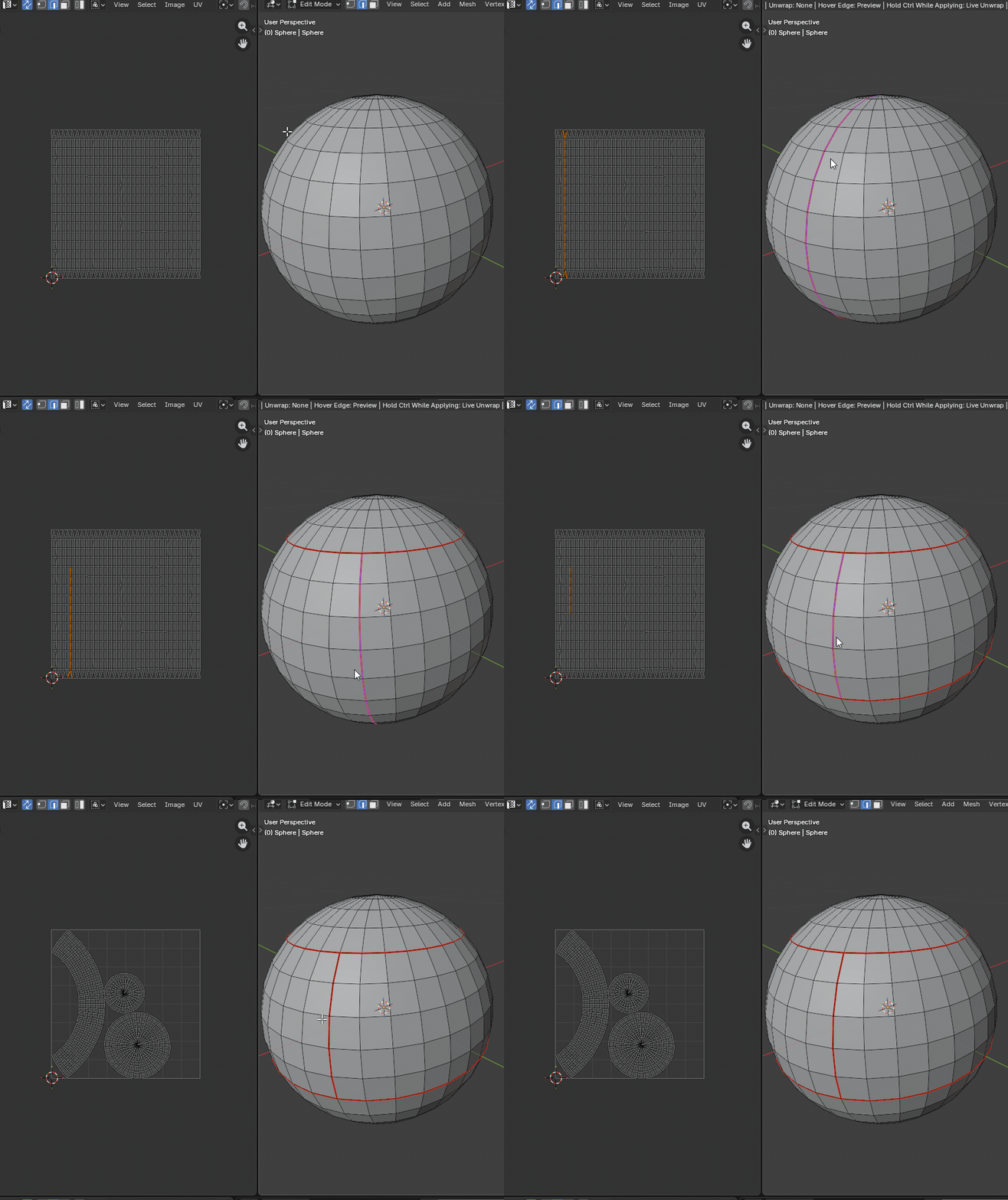
Ctrl while applying to use Live Unwrap once.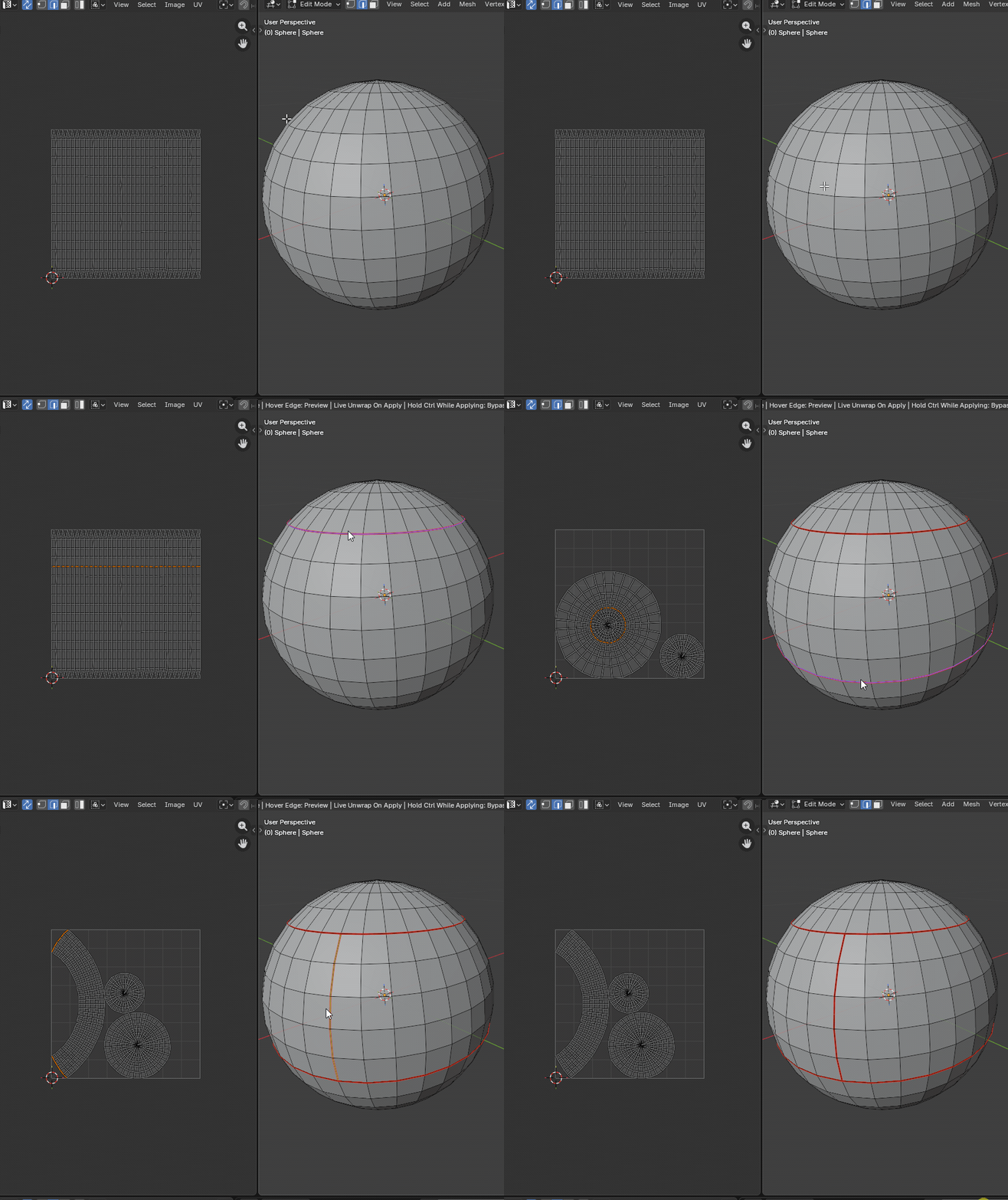
Ctrl while applying to bypass Live Unwrap once.When Live Unwrap is disabled, applying marks seams without a live unwrap. When Live Unwrap is enabled, applying uses Live Unwrap by default.
Ctrl + click temporarily flips the modal Live Unwrap behavior. If Live Unwrap is off, Ctrl + click applies with Live Unwrap. If Live Unwrap is on, Ctrl + click applies without Live Unwrap.
Modal Exit Re-Unwrap
If Re-Unwrap On Exit is enabled, the operator re-unwraps all visible geometry once on exit, even if the modal tool is cancelled.
If unwrapping is not working, even when using Blender's built-in unwrap tools, remove the affected UV channel and add it again.