Auto Unwrap & Seam
Auto Unwrap & Seam is a one-click generated unwrap pass for meshes that need quick UV islands and matching visible seam edges. It uses Blender's built-in Smart UV Project operator to create the UV layout, then converts the borders of those generated UV islands into mesh seams.
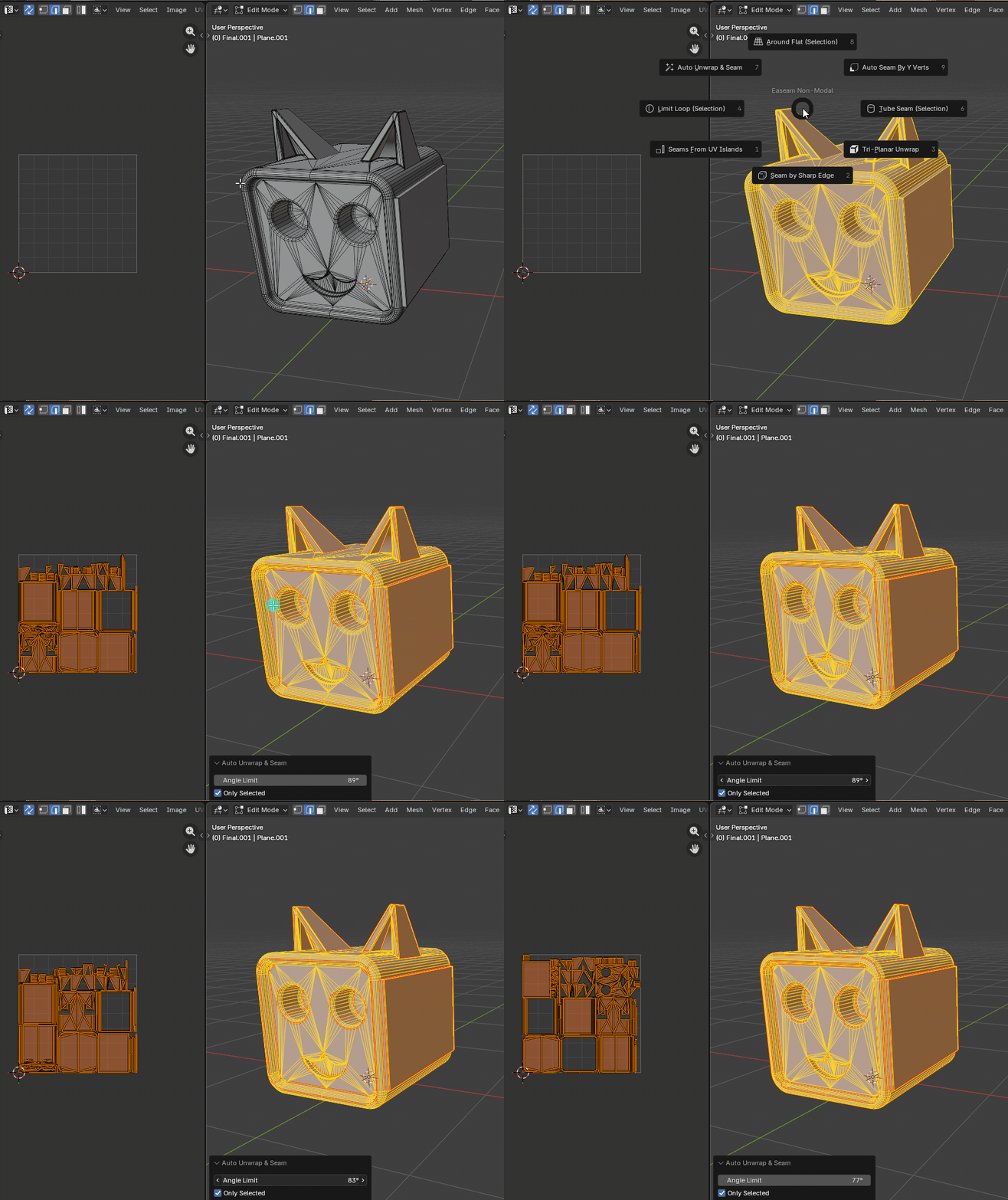
What it does
- Clears existing seams on the processed mesh selection.
- Runs Blender's built-in
Smart UV Project. - Uses Easeam's
Angle Limitvalue as the Smart UV Project angle limit. - Converts the Smart UV Project island borders into mesh seams.
- Supports selected-face workflows with
Only Selected. - Restores the previous Live Unwrap state after the operation.
Where to find it
View3D > Sidebar > Easeam > Non-Modal Tools > Auto Unwrap & SeamView3D > Mesh Edit Mode > Alt + S > Non-Modal Tools > Auto Unwrap & Seam
Best use cases
Use Auto Unwrap & Seam when you want Blender to generate the first UV layout and you also want the mesh seam flags to match that generated layout:
- quick UV setup for hard-surface props, kitbash parts, and blockouts
- creating seam data from a Smart UV Project result
- starting a manual seam cleanup pass from generated islands
- replacing an existing seam layout with a new generated one
- preparing mesh seams for later Easeam tools that read seam boundaries
Because this is based on Smart UV Project, it is best treated as an automatic starting point. Inspect the result on hero assets or organic shapes where authored seam placement matters.
Workflow
- Select a mesh object and enter Edit Mode.
- Select the faces you want to process, or leave
Only Selecteddisabled to process all visible editable faces. - Run
Auto Unwrap & Seam. - Adjust
Angle Limitin the operator panel or redo panel if the islands are too large or too fragmented. - Confirm the generated seam edges in the viewport.
Settings
Angle Limit
Controls the angle limit passed to Blender's Smart UV Project.
Default: 66°
Lower values create more projection groups and usually more seam cuts. Higher values allow larger islands, but may increase UV distortion on angled surfaces.
Only Selected
Limits the operation to the current selected faces.
Default: enabled
When Only Selected is disabled, Easeam selects all mesh elements before running Smart UV Project, so the unwrap and generated seams cover the whole editable mesh.
How seams are handled
Auto Unwrap & Seam first clears the current seam flags on the processed mesh. After Smart UV Project creates the UV islands, Easeam runs Blender's seam-from-islands behavior so every UV island border becomes a mesh seam.
This means the final seams follow the generated UV layout, not the previous manual seam layout. If you need to preserve existing seams, run a separate unwrap or use Seams From UV Islands after preparing the UV layout you want.
Tips
- Use
Only Selectedfor localized fixes when you do not want to replace seams across the whole object. - Lower
Angle Limitwhen connected faces should split into more UV islands. - Raise
Angle Limitwhen Smart UV Project creates too many small islands. - Run Re-Unwrap after editing the generated seams by hand.
- Use Seams From UV Islands when the UV islands already exist and you only need to mark their borders as seams.