Auto Seam By Y Verts
Auto Seam By Y Verts finds Y-shaped junctions, selects the edge loops that grow from those junctions, and marks the resulting loop edges as seams. It is useful for meshes where repeated three-way branches should become UV boundaries with one command.
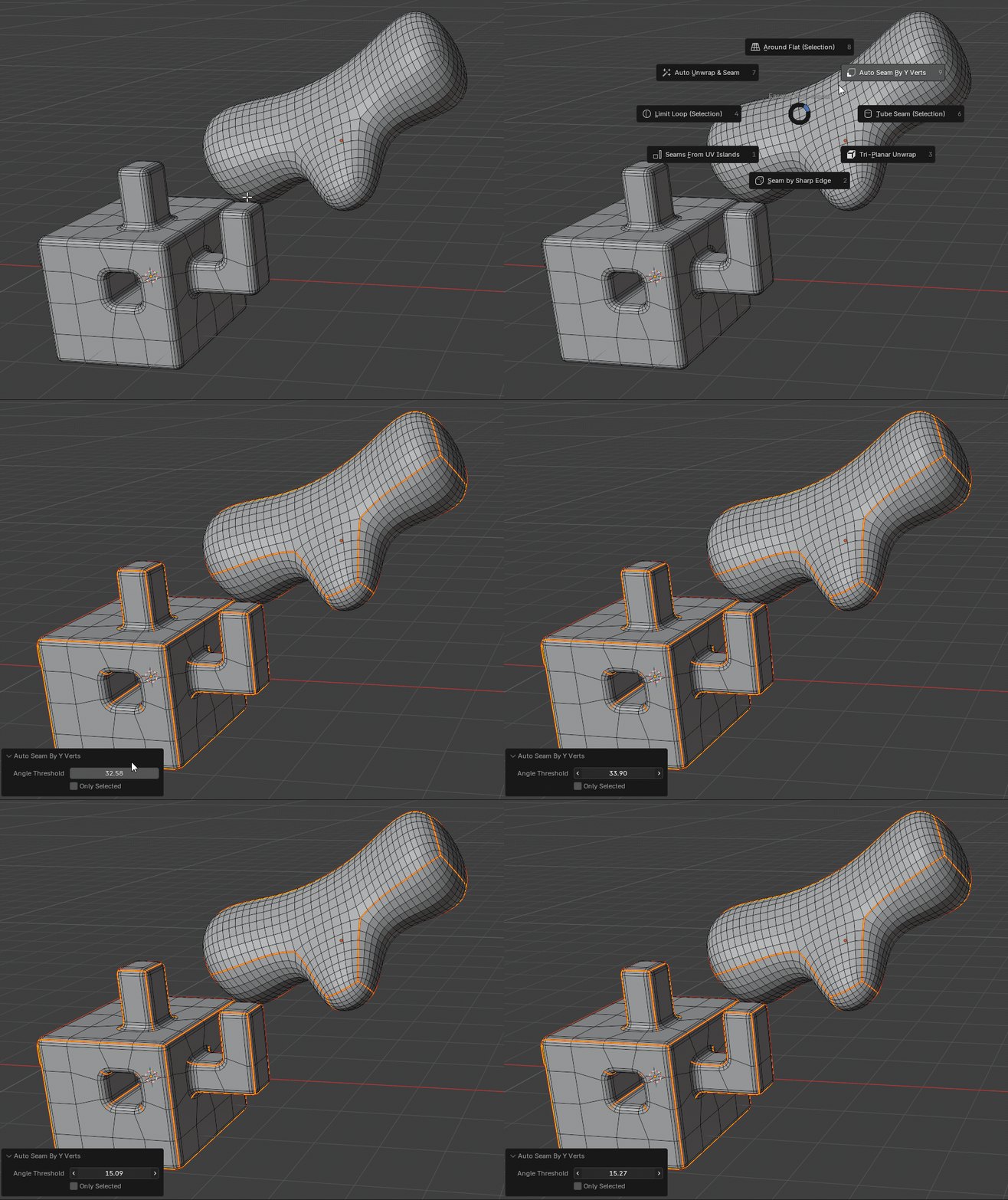
What it does
- Checks whether the three edge directions form a balanced Y shape.
- Uses the Angle Threshold setting as tolerance around 120 degree branch angles.
- Selects the three candidate edges around each matching vertex.
- Expands those seed edges with Blender's edge-loop selection.
- Marks the final selected loop edges as seams.
- Supports multi-object edit sessions.
Selected geometry
Enable Only Selected when you want to search around a specific part of the mesh instead of the whole visible edit mesh. The operator collects selected vertices, selected edge endpoints, and selected face vertices, then also includes their directly connected neighbor vertices in the search area.
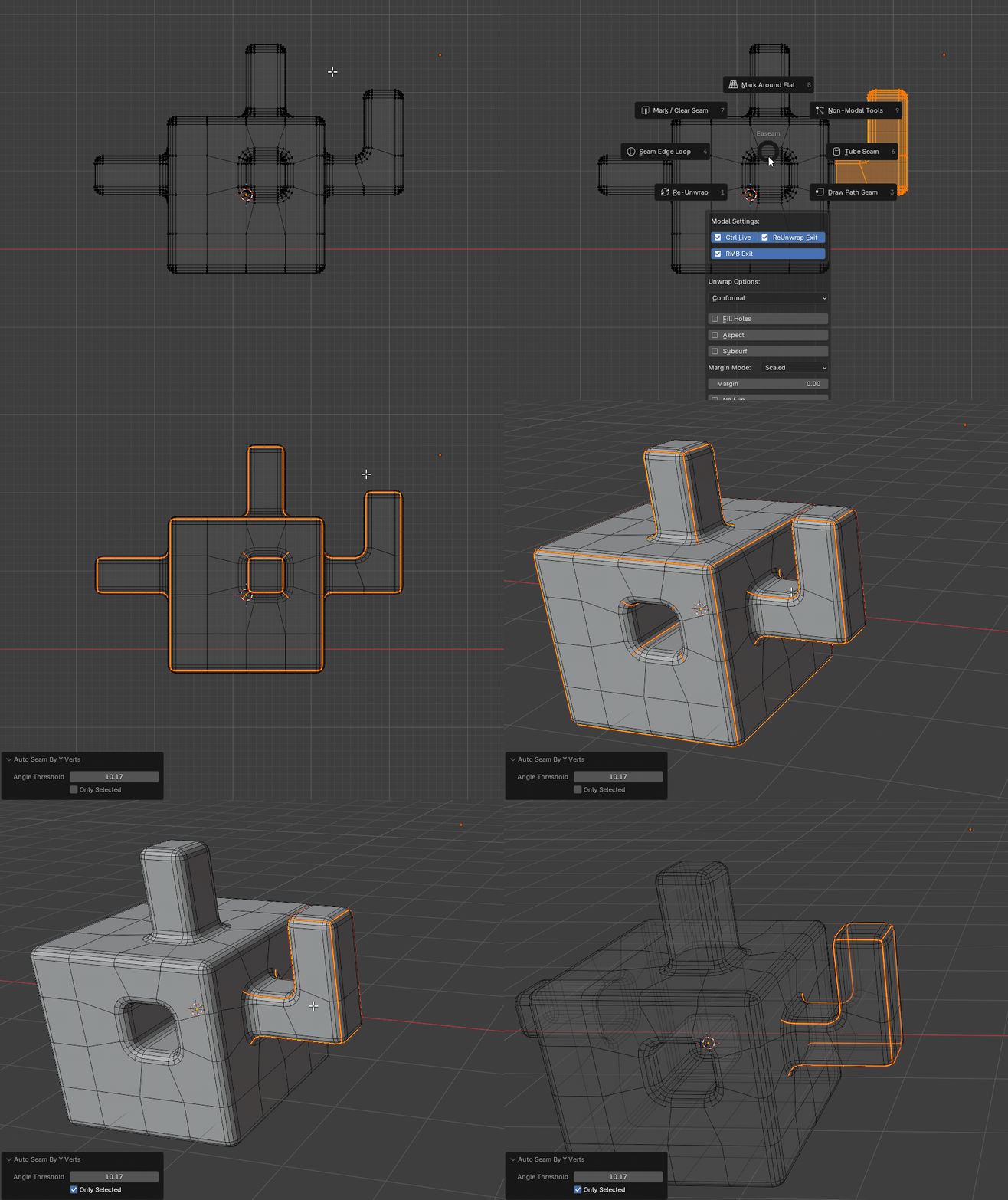
This makes it possible to select a local region near a branch and mark only the loops connected to Y-shaped vertices in that area.
Where to find it
View3D > Sidebar > Easeam > Non-Modal Tools > Auto Seam By Y VertsView3D > Mesh Edit Mode > Alt + S > Non-Modal Tools > Auto Seam By Y Verts
Best use cases
Use it when topology contains repeated three-way junctions that should become seam loops:
- a clear Y-shaped geometry flow
- beveled geometry with even segments
The result depends on topology. Vertices with fewer or more than three visible connected edges are ignored, and hidden geometry is skipped.
Settings
Angle Threshold
Controls how close each pair of branch edges must be to the ideal 120 degree Y angle.
Default: 30 deg
Lower values require a more even Y shape. Higher values accept more irregular junctions, up to the maximum tolerance of 90 deg.
Only Selected
Limits detection to selected geometry and its directly connected neighboring vertices.
Default: off
Use this when a mesh contains many valid Y-shaped vertices but you only want seams around the currently selected area.
How selection is handled
For each edit-mode mesh object, Easeam switches to edge select mode, clears the active selection, finds matching Y vertices, selects their linked candidate edges, and runs Blender's edge-loop selection from those seeds.
After the loop selection is found, the operator marks those edges as seams and restores the final seam edge selection. It also restores the original active object after processing all editable mesh objects.
Tips
- Start with the default threshold, then lower it if too many nearby three-edge vertices are detected.
- Use
Only Selectedfor dense meshes where only one branch area should be processed. - Hide geometry you want the operator to ignore during detection.