Tri-Planar Unwrap
Tri-Planar Unwrap is a fast projection-based UV setup for hard-surface objects, blockouts, trims, and forms where a clean directional layout matters more than a stretch-optimized organic unwrap. It projects faces into six UV groups based on their face normals, then lays those groups into a 3 by 2 tile layout.
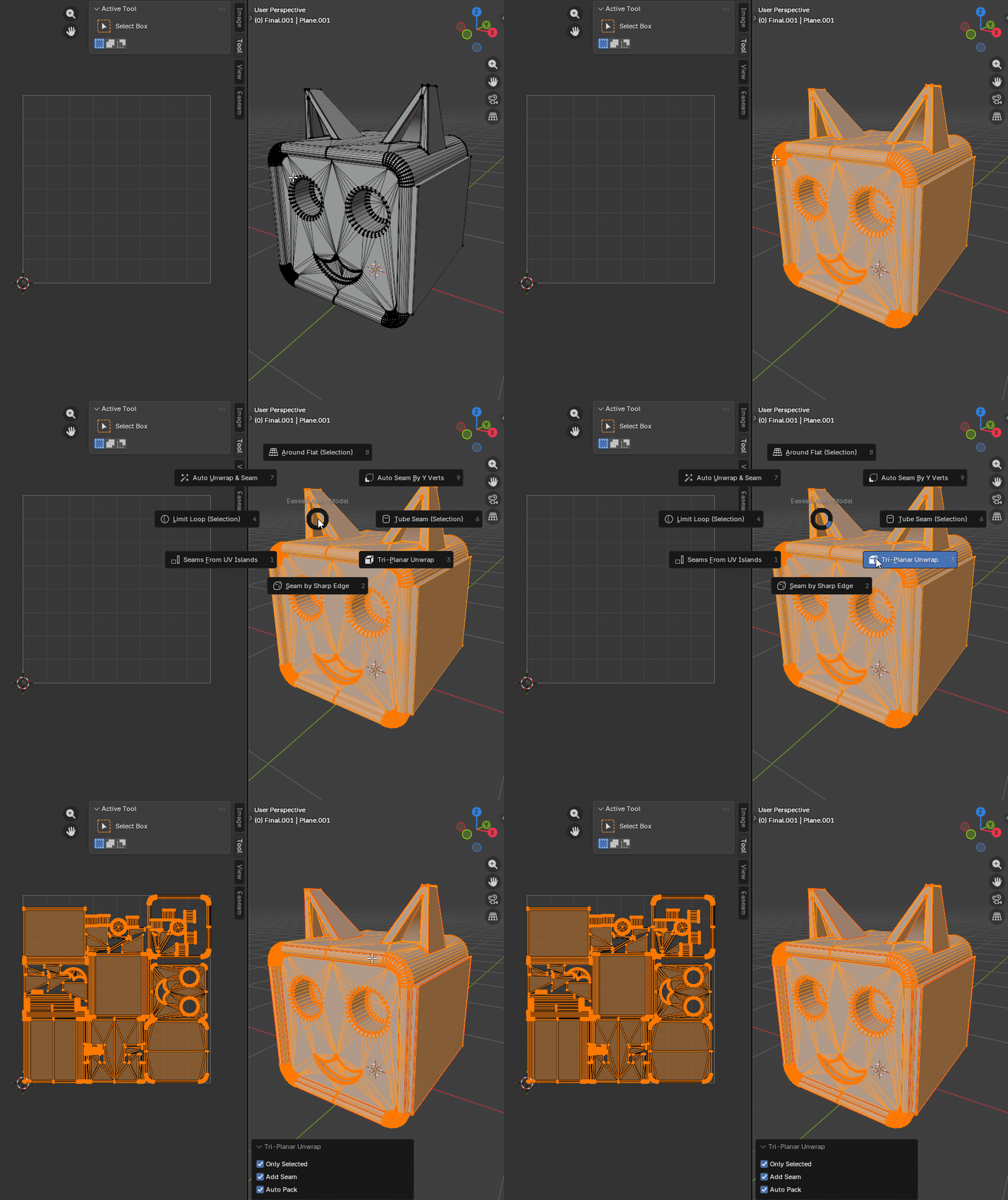
What it does
- Projects visible mesh faces from the dominant normal direction.
- Splits the UV result into six directional groups: positive and negative X, Y, and Z.
- Fits each direction into its own tile in the 0 to 1 UV space.
- Can limit the operation to selected faces.
- Can mark seams where projection groups meet.
- Can pack the resulting UV islands after projection.
Selected faces
Use Only Selected when you want to update a specific region without replacing the whole visible UV layout. In this mode, Tri-Planar Unwrap ignores unselected faces and only writes UVs for selected visible faces.
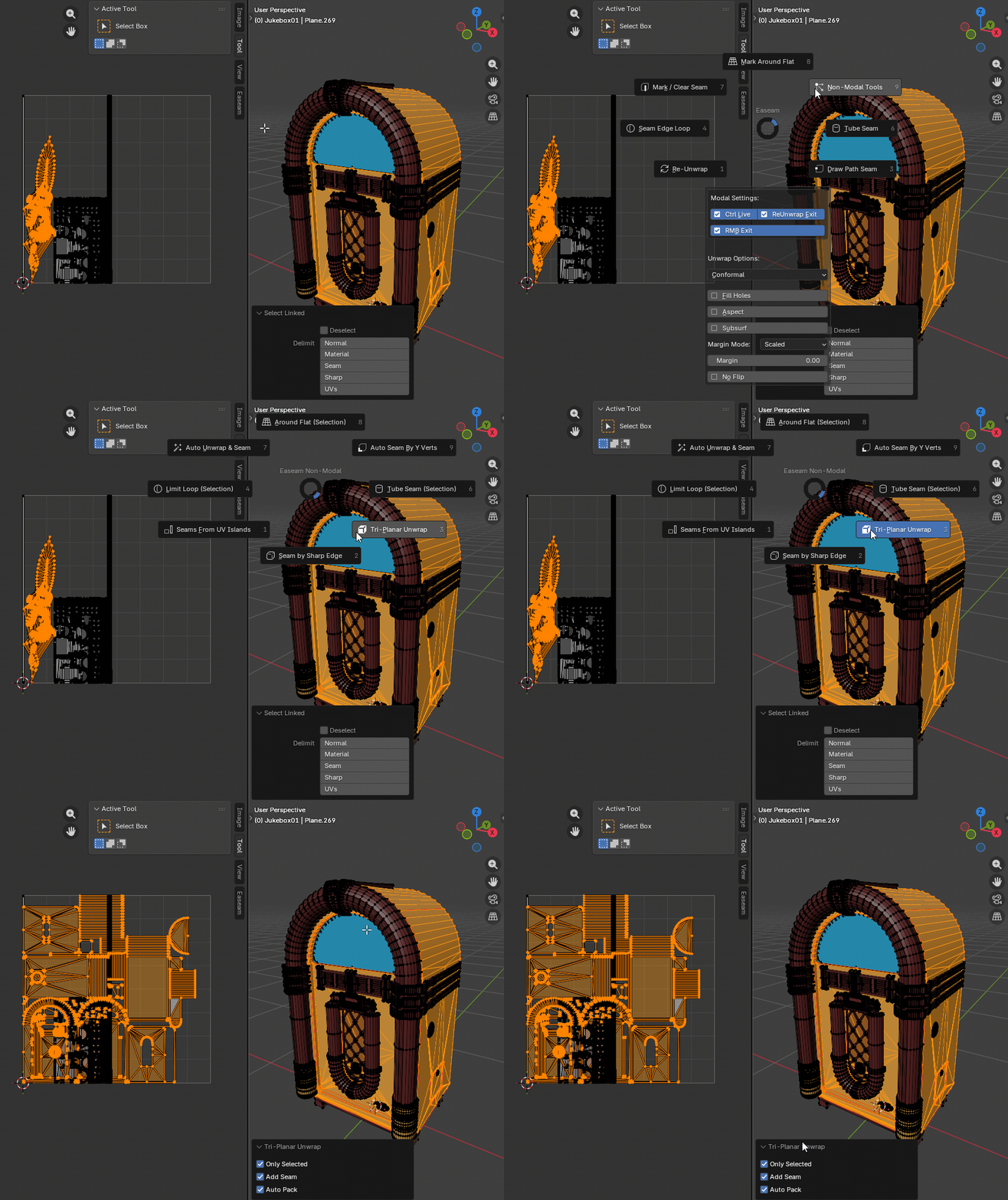
Where to find it
View3D > Sidebar > Easeam > UV Tools > Tri-Planar UnwrapView3D > Mesh Edit Mode > Alt + S > Tri-Planar Unwrap
Best use cases
Use Tri-Planar Unwrap when the model benefits from directional projection:
- hard-surface blockouts
- boxes, panels, brackets, and machine parts
- quick texture previews before detailed seam work
- meshes with clear planar faces aligned to object axes
- selected-face fixes where Blender unwrap would create unnecessary distortion
Tri-Planar Unwrap is less suited to curved organic surfaces, because each face is assigned to a direction based on its normal instead of being solved as a continuous island.
Settings
Only Selected
Limits the unwrap to selected visible faces.
Default: uses the current Easeam Only Selected unwrap preference when the operator starts.
Turn this off when you want every visible face in the editable mesh objects to receive a new tri-planar UV projection.
Add Seam
Marks seam edges where tri-planar projection groups meet. Boundary edges on processed faces are also marked as seams.
Default: enabled
Use this when you want the mesh seam layout to reflect the generated UV groups.
Auto Pack
Packs UV islands after the tri-planar projection.
Default: off
This uses Easeam's configured unwrap margin and Blender's axis-aligned packing. Leave it off when you want to inspect the six directional groups exactly as projected.
Tips
- Use
Only Selectedfor localized UV updates on a larger mesh. - Keep
Add Seamenabled if you want later unwrap operations to respect the tri-planar regions. - Keep
Auto Packdisabled while checking the directional layout, then enable it when you need a packed final result. - For angled bevels or curved areas, inspect the UV result after projection; faces switch groups when another normal axis becomes dominant.